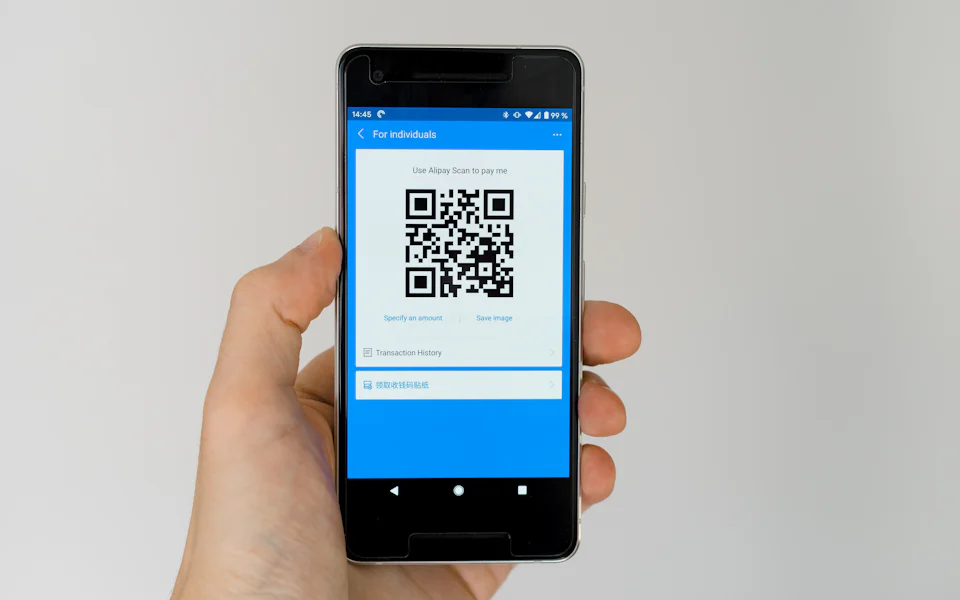
- E-wallets like GCash and Maya are popular for speed, but always confirm the current methods on the official cashier page.
- Complete account verification early so your first withdrawal is not delayed.
- Only pay through the cashier inside your account, never to a personal number sent by chat.
- Keep screenshots of every transaction and set a monthly gaming budget inside your e-wallet.
For most Filipino players, the first real question after signing up is simple: “Paano mag-deposit?” E-wallets have changed how we pay for almost everything, from milk tea to electric bills, so it is natural to expect the same convenience when playing online. This guide walks through how e-wallet payments generally work on BunnyGaming, what to check before you send a single peso, and how to protect yourself from the scams that target players.
One important note before we start: payment options, limits and processing times can change. We describe common practice, not guaranteed terms. Always confirm the current details on the official cashier page after you register and log in to BunnyGaming.
Why e-wallets are the go-to choice
GCash and Maya are regulated e-money issuers supervised by the Bangko Sentral ng Pilipinas. For players, that brings a few practical benefits:
- Speed: transfers usually move faster than traditional bank channels.
- Small amounts: you can deposit modest sums, which supports a sensible budget.
- Records: every transaction is logged in the app, making it easier to track spending.
- Security features: MPIN, biometrics and one-time passwords add layers of protection.
That last point matters most. Your e-wallet is only as safe as the habits around it.
Before you deposit: a quick checklist
- Verify the website address. Bookmark the official site and always enter through your bookmark or our Play BunnyGaming page, never through random links in group chats.
- Match your names. Your gaming account name should match the name on your e-wallet. Mismatches are a common cause of withdrawal delays.
- Complete verification. Upload any requested ID early instead of waiting until you want to cash out.
- Read the bonus terms. If a deposit triggers a promo, its wagering rules can lock your balance. Read BunnyGaming bonuses explained first.
- Set your budget. Decide your monthly gaming amount before the first deposit. Our responsible gaming page has a simple framework.
How an e-wallet deposit typically works
The exact screens differ, but the flow on most Philippine-facing platforms looks like this:
- Log in and open the Deposit or Cashier section inside your account.
- Choose GCash or Maya if listed.
- Enter the amount within the displayed minimum and maximum.
- You are redirected to the e-wallet or shown a payment QR or reference.
- Approve the payment in your e-wallet app with your MPIN or biometrics.
- Return to your account and confirm the balance updated.

Withdrawals: what to expect
Withdrawals are where preparation pays off. Typical steps include requesting a payout from the cashier, choosing the e-wallet linked to your verified name, and waiting for the platform to review the request. Review times vary, so check the cashier page for the current estimate rather than relying on what someone posted online.
Common reasons a withdrawal is held:
| Reason | How to avoid it |
|---|---|
| Unverified account | Finish ID verification right after registering. |
| Name mismatch | Use an e-wallet registered in your own name. |
| Active bonus wagering | Know the rollover before accepting a promo. |
| Different payout method | Withdraw to the same method you deposited with when required. |
| Incorrect number | Double-check the mobile number before submitting. |
Scam warnings every player should know
Payment scams are the biggest risk Filipino players face, and they rarely involve the actual game. Watch for these red flags:
- “Agent” deposits: someone in Messenger or Telegram asks you to send money to their personal GCash number for faster crediting.
- Fake support: accounts with similar names asking for your OTP or MPIN. Real support never needs them.
- “Unlock fee” messages: claims that you must pay a fee or tax before a withdrawal is released.
- Look-alike sites: URLs with extra letters or different endings that copy the real design.
Using your e-wallet as a budgeting tool
E-wallets make it easy to spend quickly, but they can also help you spend wisely. A few simple systems used by experienced players:
- Separate pocket: move your monthly gaming budget into a separate wallet or savings pocket so bill money is never touched.
- Weekly cap: split your monthly amount into four weekly amounts; when a week is done, it is done.
- Transaction review: every Sunday, scroll your history and total your gaming deposits and withdrawals.
- No borrowing: never use GLoan, credit lines or “utang” to fund play.
If your deposits start creeping up or you feel the urge to chase losses, read our 12 responsible gaming tips.
How your game choice affects spending
The same ₱500 can last very differently depending on what you play. Fast games like fishing arcades and turbo slots burn through balances quickly, while a single pre-match bet in sports betting uses one stake for a whole game. Our slot games guide explains how volatility affects how long a deposit lasts. Pick the pace that fits your budget, not the other way around.
Securing your phone and accounts
Because most players deposit from their phone, phone security is payment security:
- Keep your operating system and e-wallet app updated.
- Use a screen lock and biometric login.
- Avoid public Wi-Fi for cashier actions; use mobile data instead.
- Do not install modified “cheat” apps that request accessibility or SMS permissions.
More device tips are in our BunnyGaming mobile guide.
Account verification explained
Verification, often called KYC (know your customer), confirms that you are a real adult using your own payment details. It protects players from identity theft and helps platforms meet anti-money-laundering rules. It can feel like a hassle, but it is one of the best signs that a platform takes security seriously.
Typical requests may include:
- A clear photo of a valid government ID, such as a passport, driver’s licence, UMID or PhilSys ID.
- A selfie, sometimes holding the ID, to match your face.
- Proof that the e-wallet or bank account belongs to you.
Upload documents only inside your account on the official site, never by sending them through chat apps or email addresses you cannot verify. Your personal data is protected under the Data Privacy Act, and the National Privacy Commission explains your rights if you believe your information was misused.
Choosing sensible deposit sizes
Big single deposits feel efficient, but smaller, planned deposits make it much easier to stay in control. Think of each deposit as one entertainment session rather than a monthly war chest.
| Approach (illustrative) | Example | Why it helps |
|---|---|---|
| Session deposit | ₱200–₱500 per session | Natural stopping point when the balance ends. |
| Weekly cap | Max ₱1,000 per week | Prevents a bad night from wrecking the month. |
| Cooling-off rule | No new deposit within 24 hours of hitting a cap | Breaks the urge to chase losses. |
Many platforms also let you set deposit limits in your account settings. If you see that option, use it; a limit you set on a calm day protects you on an emotional one.
Contacting support about a payment
If a deposit or withdrawal looks wrong, stay calm and gather evidence before reaching out. Prepare your account username, the date and time, the amount, the e-wallet reference number and a screenshot of the receipt. Contact support only through the live chat or email listed inside the official site. Keep the conversation in writing so you have a record, and never move the discussion to a personal Messenger or Telegram account that messages you first.
The bottom line
GCash and Maya can make BunnyGaming deposits and withdrawals feel effortless, but the smoothest experience comes from preparation: verify early, use your own name, read bonus terms, and pay only through the official cashier. Treat every unexpected payment request as a red flag. For quick answers, visit the BunnyGaming FAQ, explore titles in the games hub, or learn who writes our guides on the author page. Play responsibly and only if you are 21+.
Frequently asked questions
Can I deposit on BunnyGaming with GCash or Maya?
E-wallets are commonly offered to Filipino players, but available methods can change. Check the cashier page inside your account for the current list.
Why is my BunnyGaming withdrawal pending?
Common causes are unverified accounts, name mismatches, active bonus wagering or an incorrect mobile number. Contact official support with your reference number if it stays pending.
Should I send money to an agent’s personal GCash?
No. Only deposit through the official cashier inside your account. Requests to send money to personal numbers are a common scam.
Where do I report an e-wallet scam?
Report it to your e-wallet provider right away and to the Cybercrime Investigation and Coordinating Center through hotline 1326.
Keep exploring BunnyGaming
- What Is BunnyGaming? A Filipino Player’s Complete Guide
- BunnyGaming Register & Login Guide: Safe Account Setup
- BunnyGaming Slot Games: RTP, Volatility & Smart Picks
- BunnyGaming Sports Betting: PBA, NBA & Football Odds Explained
- BunnyGaming Poker Guide: Texas Hold’em Basics to Winning Habits
- BunnyGaming Fishing Games: How Shooting Arcades Really Work
- BunnyGaming Bonuses Explained: Wagering Math Made Simple
- BunnyGaming on Mobile: Play Smoothly on Android & iPhone
- 12 BunnyGaming Responsible Gaming Tips for Filipino Players
- BunnyGaming games hub
- BunnyGaming FAQ
- Responsible gaming tools